contacts, messages, documents, and personal memories. Losing this data due to accidental deletion,
system crashes, or device damage can be frustrating. Fortunately, Dr.Fone has emerged as one of
the most trusted solutions for mobile device management, data recovery, and system repair.
What is Dr.Fone?
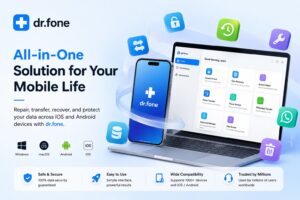
Dr.Fone is a comprehensive mobile toolkit developed by Wondershare that helps users manage,
recover, transfer, and protect their smartphone data. Designed for both Android and iOS devices,
the software provides a wide range of tools that simplify common mobile issues without requiring
advanced technical knowledge.
Whether you need to recover deleted files, transfer data between devices, unlock a phone screen,
or repair operating system problems, Dr.Fone offers an all-in-one platform to handle these tasks
efficiently.
Key Features of Dr.Fone
1. Data Recovery
One of Dr.Fone’s most popular features is its data recovery capability. The software can help
retrieve lost or deleted data, including:
- Photos and videos
- Contacts
- Messages
- Call logs
- WhatsApp conversations
- Documents and attachments
This feature is particularly useful when data is accidentally deleted or lost due to software failures.
2. Phone Transfer
Switching to a new smartphone can be time-consuming, especially when transferring important data.
Dr.Fone simplifies the process by enabling users to move contacts, messages, photos, videos,
and other files between devices with just a few clicks.
The tool supports transfers between Android and iPhone devices, making migration easier regardless
of the platform.
3. System Repair
Mobile operating systems occasionally encounter issues such as boot loops, black screens,
frozen devices, or failed updates. Dr.Fone’s System Repair feature helps resolve these problems
without requiring extensive technical expertise.
Users can repair common iOS and Android system errors and restore their devices to normal operation.
4. Screen Unlock
Forgetting a screen lock password can leave users locked out of their devices. Dr.Fone provides
a screen unlock tool that can remove various types of locks, including:
- PIN codes
- Passwords
- Pattern locks
- Fingerprint locks
- Face recognition locks
This feature can be valuable when users lose access to their own devices.
5. WhatsApp Management
Messaging applications have become essential communication tools. Dr.Fone offers dedicated
WhatsApp management features, including backup, restoration, and transfer of chats between devices.
This helps users preserve important conversations when upgrading phones or performing device maintenance.
6. Backup and Restore
Regular backups are critical for protecting important information. Dr.Fone allows users to create
secure backups of their smartphone data and restore it whenever necessary.
This reduces the risk of permanent data loss and provides peace of mind.
Benefits of Using Dr.Fone
User-Friendly Interface
Dr.Fone is designed with simplicity in mind. Even users with limited technical knowledge can
navigate its features easily and complete tasks through guided steps.
Comprehensive Toolkit
Instead of using multiple applications for data recovery, transfer, repair, and backup,
users can access all these functions from a single platform.
Cross-Platform Compatibility
The software supports a wide range of Android and iOS devices, making it suitable for diverse user needs.
Reliable Performance
Millions of users worldwide rely on Dr.Fone for mobile data management, making it one of the most
recognized tools in its category.
Who Can Benefit from Dr.Fone?
Dr.Fone is suitable for:
- Individuals who accidentally delete important files
- Users upgrading to new smartphones
- Business professionals who need reliable data backup solutions
- Mobile technicians and repair specialists
- Anyone experiencing software-related smartphone issues
Conclusion
Dr.Fone has established itself as a powerful and versatile mobile device management solution.
From recovering lost data and transferring files to repairing operating systems and managing backups,
the software offers a comprehensive set of tools for smartphone users.
As mobile devices continue to play a central role in our daily lives, having a reliable solution
like Dr.Fone can help users protect their data, solve technical problems, and maintain smooth
device performance. Whether you’re an everyday smartphone user or a professional technician,
Dr.Fone provides practical features that simplify mobile device management and enhance data security.







Post Comment