Introduction
When it comes to equipping your PC with reliable, feature-rich yet user-friendly software, one name to note is Ashampoo. Founded in Germany in 1999, Ashampoo has built a reputation for offering a wide range of utilities — from system optimisation and backups to multimedia editing and office tools — that cater to both everyday users and more advanced needs. In this article, we’ll explore what makes Ashampoo stand out, examine some of their flagship products, discuss pricing and value, highlight pros & cons, and consider how you might incorporate Ashampoo tools into your workflow or blog (SoftZone) recommendations.
Brand Overview & History
Origins & Philosophy
Ashampoo GmbH & Co. KG is based in Oldenburg, Germany. The name “Ashampoo” is said to derive from a founder’s remark that the first product “cleans Windows like a shampoo” (i.e., cleans up the system). With over 20 million customers and more than two decades of software development experience, Ashampoo emphasises usability, offering products designed to be easy to understand and use, while staying at the cutting edge of technology.
Product Portfolio & Focus
Ashampoo’s product categories include Multimedia, System/Utilities, Productivity, Security, Mobile Apps, Knowledge & Learning. They provide both paid commercial software and free versions / freebies. The emphasis is often on “one-user” licenses, intuitive interfaces, affordability compared to large competitors.
Key Products & Highlights
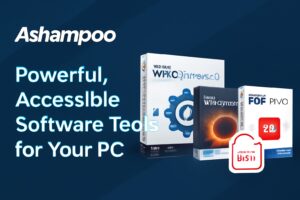
Ashampoo WinOptimizer 28
A system optimisation utility: helps clean up, speed up, and secure your Windows PC. Typical features include cleaning the registry, removing junk, managing startup items, and privacy tools. This tool is designed to give you more control, security, and power over your PC.
Ashampoo Burning Studio 26
A multimedia disc burning and backup tool (CD/DVD/Blu-ray) with extra features like creating video discs, copying, and backing up to optical media. Ideal for users who still use discs or want reliable archiving tools.
Ashampoo PDF Pro 5 (upcoming)
A productivity & office tool: editing, merging, converting PDFs, etc. This tool is useful for users working in offices, students, or anyone needing advanced document handling.
Freeware & Entry Tools
Ashampoo offers a collection of completely free full-version software, such as Ashampoo Burning Studio FREE, WinOptimizer FREE, Photo Optimizer FREE, PDF Free, etc. This gives users the opportunity to try out Ashampoo tools before committing to a paid version.
Value Proposition & Strengths
- Ease of Use: Ashampoo emphasises intuitive interfaces, reducing the learning curve for many users.
- Affordability: Compared to some big-brand alternatives, Ashampoo offers good value with frequent deals and promotions.
- Wide Range: From multimedia to security to CAD, Ashampoo covers many niches.
- Free Options: Many free full-version tools allow users to get started before committing.
- Global Reach and Experience: With two decades in business and localization in many languages, Ashampoo has a broad international presence.
Points to Consider / Potential Weaknesses
While many users find Ashampoo’s tools effective, some reviews note that they may lack certain advanced features found in premium, high-end competitors. For instance, while Burning Studio is a solid tool, it might not have all the pro-level features of some of the more expensive brands. Additionally, free versions have limitations compared with paid versions, and you should review the licensing model (one-PC vs multiple-PC licenses, lifetime vs subscription).
How to Incorporate into Your Blog / Recommendation Strategy
For your blog, you can use Ashampoo tools in various ways. Write review articles, create comparative posts, provide tutorials on using Ashampoo software, or alert your readers to special deals and promotions. By incorporating Ashampoo into your content, you’ll be able to offer useful, user-friendly solutions to your audience, whether they’re beginners or experienced users.
Conclusion
In summary, Ashampoo offers a robust, user-friendly suite of software tools that are particularly well-suited for everyday users, home PC owners, students, and small businesses. With its mix of free and paid tools, wide range of functionality, and emphasis on usability, it’s definitely worth considering if you want to get more from your Windows system without a steep learning curve.








Post Comment